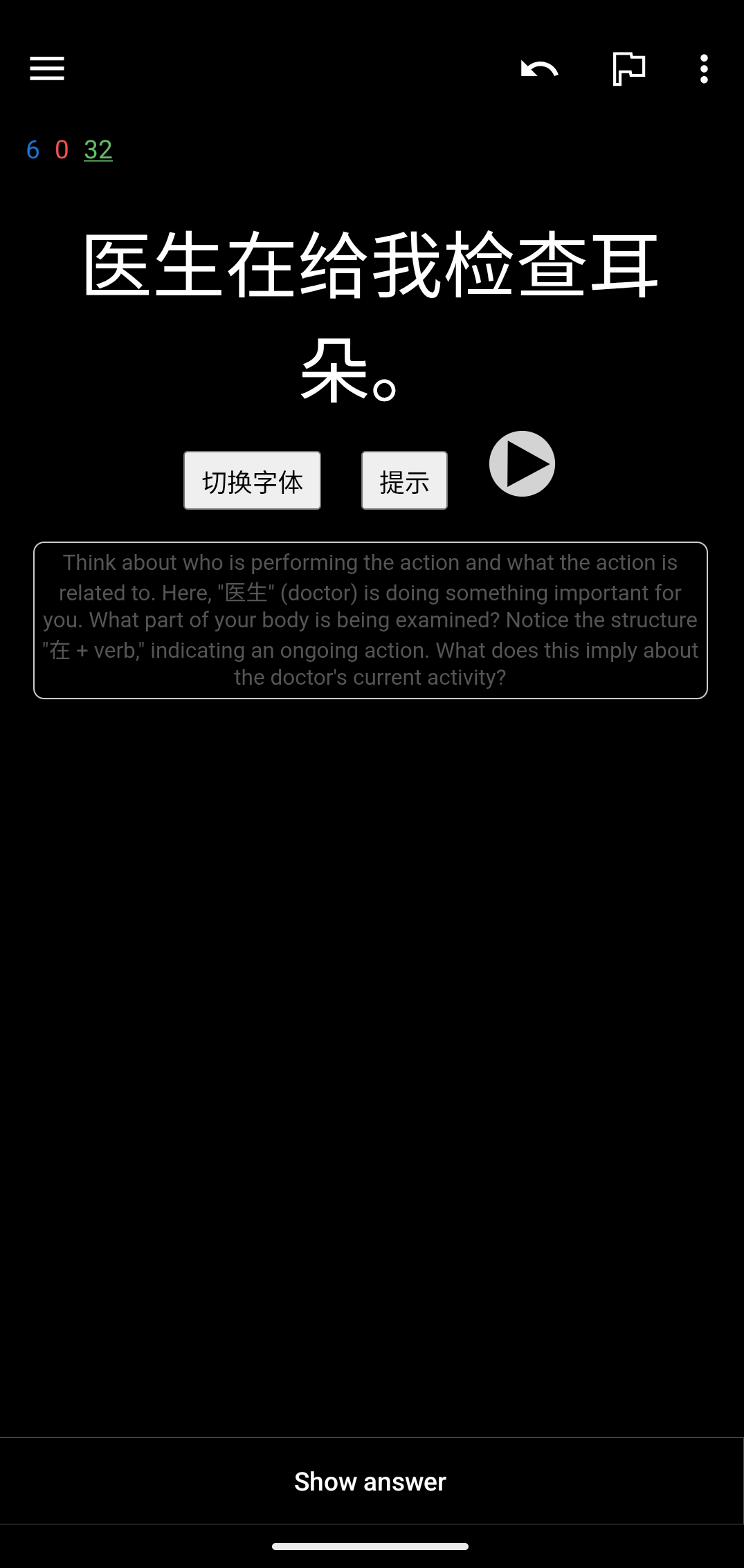
I'm a big fan of customising Anki to optimise learning. ChatGPT is really helpful for explaining tricky Chinese words/phrases, and I thought it would be cool to integrate this directly into the Anki app.
I didn't have to write any code manually - ChatGPT handled everything. It was beneficial to have some relevant code snippets to give as examples. Otherwise I just tried to give clear instructions.
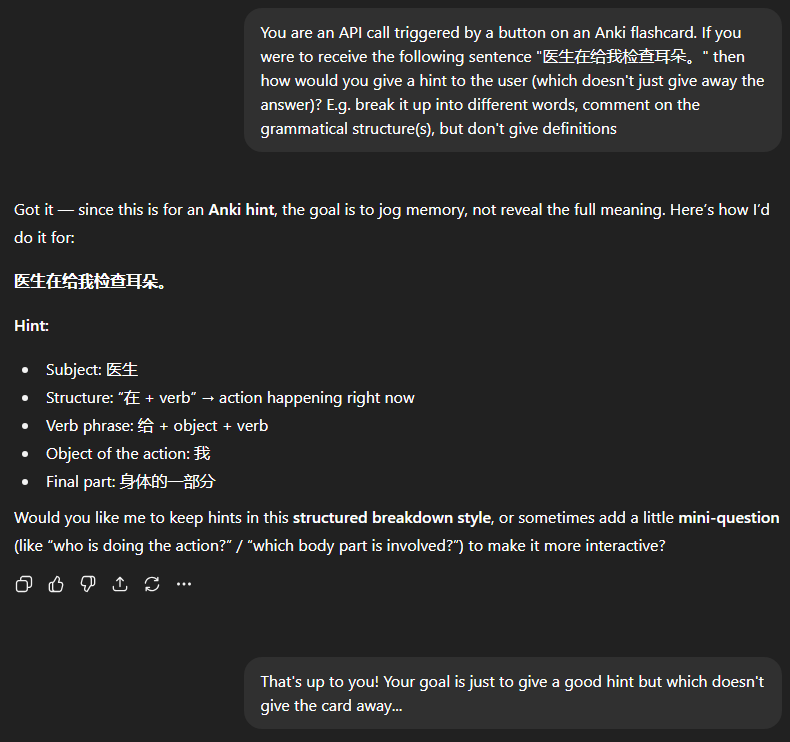
As always, I like to get the LLM to suggest an approach that I can refine later.
I pasted in my existing HTML/JavaScript note template and asked how we could update it.
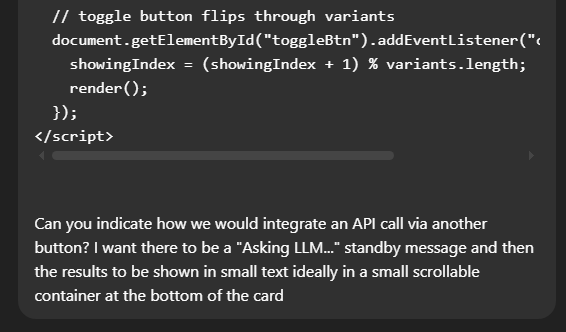
The result:
... <!-- previous HTML unchanged -->
<button id="hintBtn" style="margin: 6px; padding: 4px 8px; font-size: 14px;">
  提示
</button>

<div id="hintBox"
     style="max-height: 120px; overflow-y: auto;
            font-size: 12px; color: #555;
            margin-top: 8px; padding: 4px;
            border: 1px solid #ccc; border-radius: 6px;
            display: none;">
</div>

<script>
  ... // previous <script> logic is unchanged

  // --- HINT BUTTON + API CALL ---
  const hintBtn = document.getElementById("hintBtn");
  const hintBox = document.getElementById("hintBox");

  hintBtn.addEventListener("click", async () => {
    hintBox.style.display = "block";
    hintBox.innerText = "Asking LLM...";

    try {
      const response = await fetch("http://localhost:5000/hint", {  // <-- your API endpoint
        method: "POST",
        headers: { "Content-Type": "application/json" },
        body: JSON.stringify({ sentence: hanzi })
      });
      const data = await response.json();

      hintBox.innerText = data.hint; // expects API to return { "hint": "..." }
    } catch (err) {
      hintBox.innerText = "Error fetching hint.";
      console.error(err);
    }
  });
</script>
It assumed the API is running locally, so told it that I typically curl the OpenAI endpoint. It was quite keen to explain the virtues of a lightweight local API server which could itself be used to interface with OpenAI, but was happy to adapt to the external API when lightly pushed:
<script>
...
    try {
      const response = await fetch("https://api.openai.com/v1/chat/completions", {
        method: "POST",
        headers: {
          "Content-Type": "application/json",
          "Authorization": "Bearer sk-xxxxxxx" // <--- your key here
        },
        body: JSON.stringify({
          model: "gpt-4o-mini",
          messages: [
            { role: "developer", content: "You are a language helper. Give a hint for this Chinese sentence without translating it." },
            { role: "user", content: hanzi }
          ]
        })
      });

      const data = await response.json();
      hintBox.innerText = data.choices[0].message.content.trim();
    } catch (err) {
      hintBox.innerText = "Error fetching hint.";
      console.error(err);
    }
  });
</script>
Then all I had to do was replace the prompt with our one from earlier, add an API key, and update my Anki templates. I did all this from my phone while on the train... and it works!